Dreaming of launching your business but worried about the costs piling up? Zoho Mail, a budget-friendly email hosting service, is a game-changer for entrepreneurs like you who want to start lean and grow smart. As an aspiring business owner—maybe crafting handmade jewelry or kicking off a consulting gig—you need a professional email address that screams credibility without breaking the bank. That’s where Zoho Mail comes in, offering a free plan for up to five users and a user-friendly setup that aligns perfectly with the Business Setup step in Start on a Shoestring: Your Business Launch Guide. In this post, we’ll dive into why Zoho Mail is a must-have for budget-conscious entrepreneurs, share practical tips to get started, and point you to free resources at StartOnAShoestring.com/resources to keep your launch on track. Let’s make your business email work for you—without the hefty price tag!
Why Zoho Mail is Perfect for New Entrepreneurs
Zoho Mail stands out as a budget-friendly email solution because it’s designed with small businesses in mind. Its free plan offers up to five users with 5GB of storage each—plenty for a startup craft shop or freelance hustle. You get a professional email address (like you@yourbusiness.com) that builds trust with clients, unlike generic Gmail or Yahoo accounts. As outlined in Start on a Shoestring, a professional email is a cornerstone of the Business Setup step, giving your brand credibility from day one. Plus, Zoho Mail’s ad-free interface and mobile app make it easy to manage emails on the go. The best part? It’s free for small teams, letting you focus your budget on other priorities, like inventory or marketing. We may earn a commission if you sign up for Zoho Mail using this link, at no extra cost to you.
Setting Up Zoho Mail on a Budget
Getting started with Zoho Mail is a breeze, even if you’re not tech-savvy. First, you’ll need a domain name (e.g., yourbusiness.com). If you don’t have one, check our Business Name Planner Worksheet at StartOnAShoestring.com/resources for naming tips and affordable domain registrars. Once you have a domain, sign up for Zoho Mail’s free plan on their website. Verify your domain by updating DNS records—Zoho provides clear instructions, and it’s as simple as copying and pasting values into your registrar’s settings. Within minutes, you can create email addresses like sales@yourbusiness.com. For example, a craft shop owner could set up info@craftycreations.com to handle customer inquiries. This aligns with our Start lean, grow smart ethos, keeping setup costs at zero while establishing a professional presence.
Boost Your Business with Zoho Mail’s Features
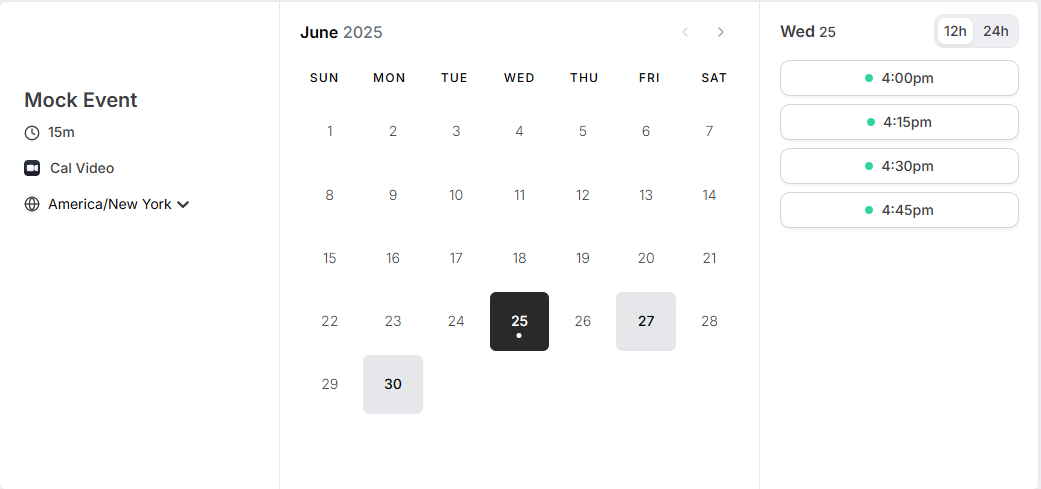
Zoho Mail isn’t just email—it’s a productivity hub. Its free plan includes calendar, tasks, and notes, helping you stay organized without extra tools. Imagine a consultant scheduling client meetings with Zoho’s calendar or a freelancer jotting down project ideas in the notes app—all within the same platform. You can also create email aliases (e.g., support@yourbusiness.com) that route to your main inbox, perfect for managing multiple roles. For team collaboration, share emails or folders with colleagues, streamlining communication for your startup. These features tie directly to the Business Setup step in our book, ensuring your operations run smoothly. Want to level up? Explore our Business Setup Worksheet at StartOnAShoestring.com/resources to plan your email strategy alongside other essentials.
Practical Tips for Using Zoho Mail
Here are three ways to make Zoho Mail work for your startup:
- Create a Professional Signature: Add your logo, contact info, and a link to your website in your email signature to boost brand visibility. It’s a free marketing touchpoint!
- Use Aliases for Flexibility: Set up aliases like orders@yourbusiness.com to manage different aspects of your business without extra accounts.
- Leverage the Mobile App: Stay responsive to clients by checking emails and managing tasks from your phone, perfect for entrepreneurs always on the move.
These tips align with our Free tools, big dreams philosophy, helping you maximize Zoho Mail’s free features to launch efficiently.
Start Your Email Journey Frugally
Zoho Mail is your ticket to professional email without the price tag, making it a cornerstone for budget-conscious entrepreneurs. Its free plan, easy setup, and productivity tools empower you to establish a credible business identity while keeping costs low. As Start on a Shoestring: Your Business Launch Guide emphasizes, starting frugal doesn’t mean sacrificing quality—Zoho Mail proves it. Ready to get started? Sign up for Zoho Mail, download our Business Setup Worksheet at StartOnAShoestring.com/resources, and join our newsletter for more budget-friendly tips. Launch Your Business on a Shoestring! with these CTAs: “Join our frugal entrepreneur community!” or “Start your business journey with our free resources!” Your budget-friendly business guide is here to help you start frugal, grow big!